


nixos/home-modules/explicit-configs/awesome/awesome-wm-widgets
..
apt-widget
battery-widget
batteryarc-widget
bitbucket-widget
brightness-widget
calendar-widget
cmus-widget
cpu-widget
docker-widget
email-widget
experiments/spotify-player
fs-widget
gerrit-widget
github-activity-widget
github-contributions-widget
github-prs-widget
gitlab-widget
jira-widget
logout-menu-widget
logout-popup-widget
mpdarc-widget
mpris-widget
net-speed-widget
pacman-widget
pactl-widget
pomodoroarc-widget
ram-widget
run-shell
run-shell-2
run-shell-3
scripts
spotify-shell
spotify-widget
stackoverflow-widget
todo-widget
translate-widget
volume-widget
weather-api-widget
weather-widget
word-clock-widget
.luacheckrc
awesome-o.png
awesome.png
CODEOWNERS
LICENSE
README.md
Screenshot from 2019-03-01 14-28-18.png
screenshot.png
screenshot_with_sprtrs.png
widgets-icons.png

logo

GitHub repo size GitHub Workflow Status

Set of widgets compatible with Awesome Window Manager v.4.3+.

Screenshots

Spotify, CPU, RAM, brightness-arc, volume-arc and battery-arc widgets:

Brightness, volume and battery widgets:

screenshot

Some more screenshots in this reddit post

Installation

Clone the repo under ~/.config/awesome/, then follow an Installation section of widget's readme file.

Stargazers
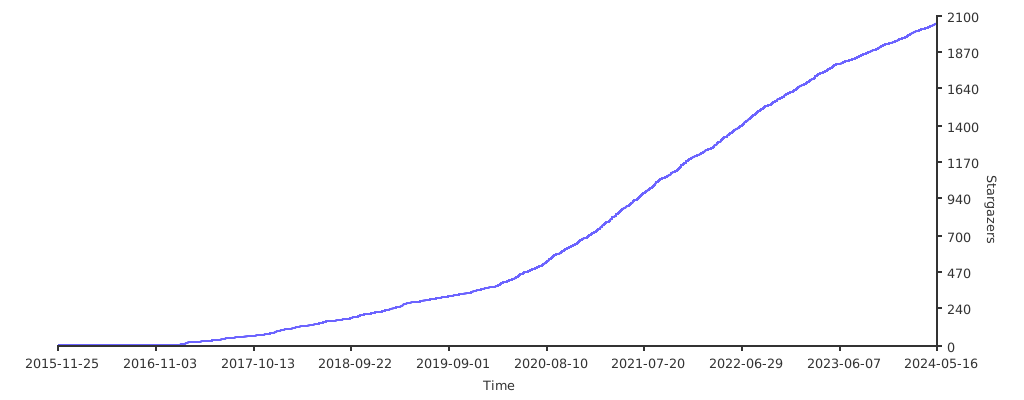
Stargazers over time

Troubleshooting

In case of any doubts/questions/problems:

Support

If you find anything useful here, you can:

  • star a repo - this really motivates me to work on this project
  • or
  • or even become a sponsor

Contributors